Loading...
24/7 Support
WiFi Access Point

Industry Leading Hardware.
WiFi Perfected for Every Environment.

Deploy UniFi® WiFi Access Points through IDSL to get enterprise-grade performance, intuitive management, and seamless scalability — from compact offices to high-density stadiums.

Industry Leading Hardware
WiFi 6/6E/7 access points engineered for performance, reliability, and modern deployments.
Intuitive Setup & Install
Rapid adoption through UniFi consoles, mobile app, and Site Manager visualization.
Scales Wide, Scales Tall
From single sites to distributed estates with 1000+ client devices per deployment.
Software Updates that Keep Giving
Continuous firmware enhancements, features and security updates at no extra cost.
Get Your Free WiFi Quote
Need sales advice? Call 020 30 110 50
WiFi Perfected
WiFi 7 with Dedicated Spectral Radio
  • Dedicated spectral analyzer radio for continuous RF environment scanning.
  • Powerful channel planning tools and visual RF coverage in UniFi Site Manager.
  • Flexible authentication with UniFi Identity, local, AD or cloud-hosted RADIUS.
  • Centralized remote management and integrated packet capture tooling.
1,000+ connected devices per AP with advanced RF filtering and optimized client distribution.
UniFi AP
E7 Campus WiFi 7 • IP67 • 10 GbE
U7 Pro Up to 6 GHz • 6 streams
Industry Leading Hardware

WiFi Perfected with UniFi APs

UniFi is a state-of-the-art WiFi platform that lets you effortlessly manage 100+ access points like a single device. It combines enterprise-quality hardware, powerful RF intelligence, and a beautifully intuitive management experience.

Industry Leading Hardware

UniFi offers enterprise-class access points in a variety of form factors for any professional environment, from compact offices and hospitality to stadiums and outdoor campuses.

  • WiFi 6, 6E and WiFi 7 APs for next-generation multi-gigabit performance.
  • Weatherproof outdoor models with IP67 ratings and high‑gain directional antennas.
  • Wall, ceiling and in‑wall units tailored to guest rooms, offices, corridors and more.
  • 10G PoE uplinks and high availability topology for mission-critical environments.
1,000–2,000 ft² typical coverage per AP in open environments.
1,000+ clients supported on select Enterprise & Campus models.

WiFi Perfected Features

UniFi WiFi Perfected combines dedicated spectral analysis, intelligent channel planning, and flexible authentication to deliver rock‑solid wireless experiences at any scale.

Authentication
Flexible Authentication Methods
UniFi Identity, local, AD, and cloud RADIUS options.
Secure Onboarding
Spectral Radio
Dedicated Spectral Analyzer Radio
Continuously scans for interference to optimize SNR.
Real-time RF
RF Management
Powerful Channel Planning
Visualize and optimize channel distribution across sites.
Smart Channels

Product Series

Choose the right UniFi AP for your deployment, from Enterprise and Flagship ceiling‑mount models to discrete wall units and rugged outdoor devices.

E7 access point
Enterprise Series

E7

10G PoE uplink and a redundant GbE port for high availability in critical enterprise environments.

Standard: WiFi 7 Uplink: 10 GbE
U6 Enterprise
Enterprise Series

U6 Enterprise

Incredible WiFi 6E access point delivering multi‑gigabit performance for modern enterprise networks.
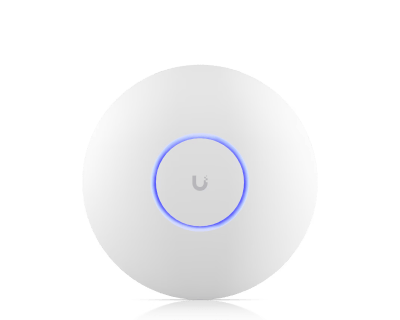
Standard: WiFi 6E Band: 2.4 / 5 / 6 GHz
U6 Pro
Enterprise Series

U6 Pro

High‑performance WiFi 6 access point providing impressive throughput and coverage for busy offices.
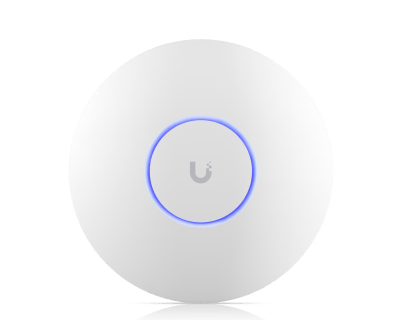
Standard: WiFi 6 Use case: Performance
U6 Long-Range
Enterprise Series

U6 Long-Range

Extended coverage WiFi 6 access point ideal for larger spaces that demand long‑range connectivity.
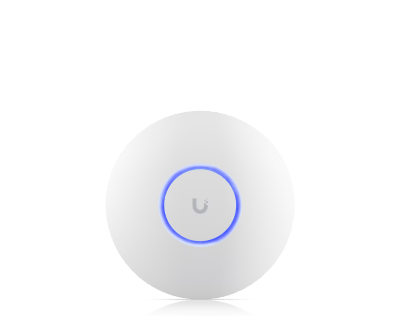
Standard: WiFi 6 Range: Extended
U6 Plus
Enterprise Series

U6 Plus

Outstanding value WiFi 6 access point balancing performance and affordability for SMB deployments.
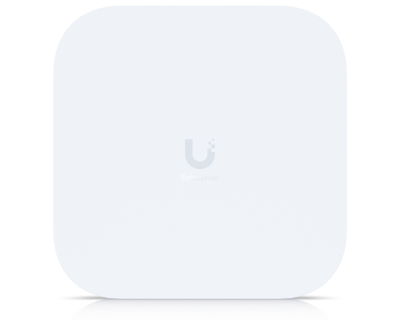
Standard: WiFi 6 Use case: Value
E7 Campus outdoor access point
Enterprise Series • Outdoor

E7 Campus

Outdoor rugged IP67 design and PRISM™ active RF filtering technology — perfect for campuses and challenging RF environments.
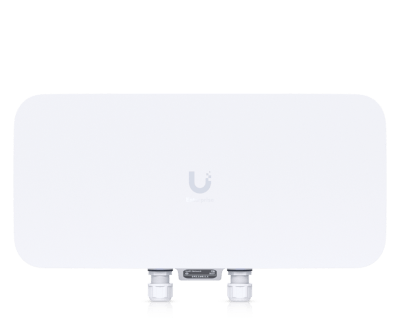
Weatherproof: IP67 Devices: 1,000+
E7 Audience high density access point
Enterprise Series

E7 Audience

Supports 1,500+ client devices for extreme-density deployments such as stadiums and arenas, with full 6 GHz support.
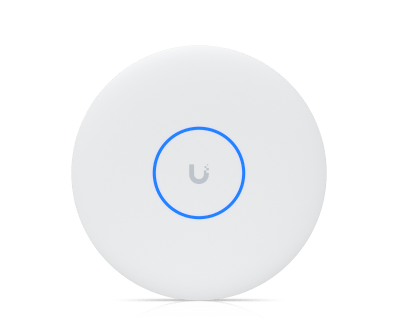
Clients: 1,500+ 6 GHz: Yes
U7 Pro XGS
Flagship Series

U7 Pro XGS

10G, 8‑stream WiFi 7 access point for premium, ultra‑high throughput deployments.
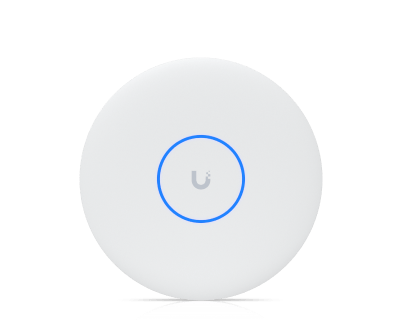
Streams: 8 Uplink: 10 GbE
U7 Pro XG
Flagship Series

U7 Pro XG

10G, 6‑stream WiFi 7 AP that balances capacity, performance and cost for demanding networks.
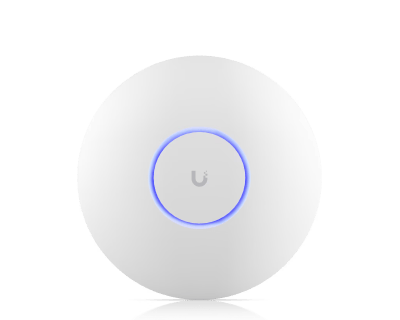
Streams: 6 Band: Tri‑Radio
U7 Pro Max
Flagship Series

U7 Pro Max

High‑density WiFi 7 access point designed for large venues with heavy concurrent client loads.

Use case: High Density Standard: WiFi 7
U7 Pro
Flagship Series

U7 Pro

6‑stream WiFi 7 AP with 6 GHz support, ideal for large offices, hospitality and education spaces.
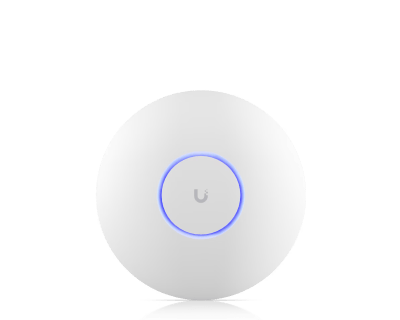
Bands: 2.4 / 5 / 6 GHz Streams: 6
U7 Long-Range
Flagship Series

U7 Long‑Range

WiFi 7 AP with 5 streams and extended signal range for deeper indoor penetration.
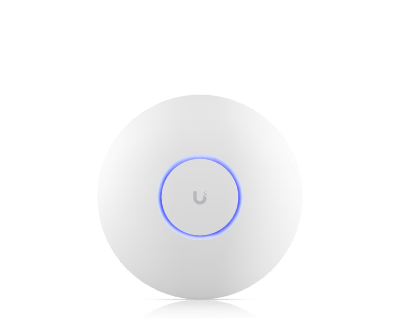
Range: Extended Streams: 5
U7 Lite
Flagship Series

U7 Lite

Compact WiFi 7 access point offering excellent value for small offices and branch locations.
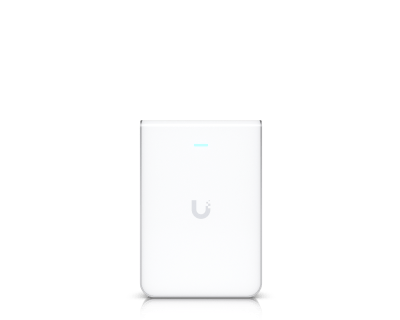
Form factor: Compact Standard: WiFi 7
U7 Pro Wall
Wall Series

U7 Pro Wall

WiFi 7 and 6 GHz, tailored for interior spaces with discreet, wall‑mounted installation.
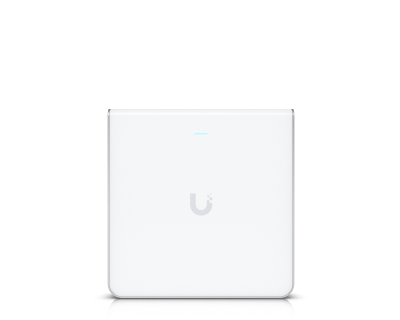
Mounting: Wall Band: Tri‑Radio
U6 Enterprise In-Wall
Wall Series

U6 Enterprise In‑Wall

WiFi 6E in‑wall AP with an additional 6 GHz radio for dense hospitality and MDU deployments.

Standard: WiFi 6E Extra band: 6 GHz
U7 In-Wall
Wall Series

U7 In‑Wall

WiFi 7 AP with integrated 2.5 GbE PoE switch to power downstream devices in rooms and offices.
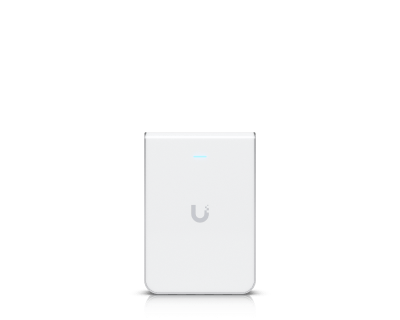
Switch: 2.5 GbE PoE Standard: WiFi 7
U6 In-Wall
Wall Series

U6 In‑Wall

Low‑profile WiFi 6 AP with a built‑in PoE switch, ideal for hotel rooms and conference spaces.
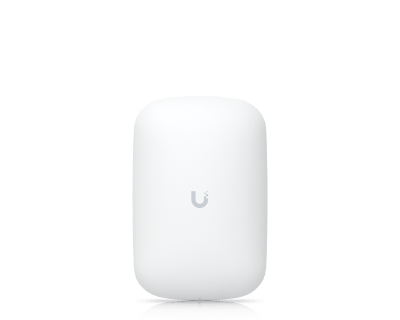
Standard: WiFi 6 Integrated: PoE Switch
U6 Extender
Wall / Extender

U6 Extender

Plug‑in WiFi 6 extender that plugs straight into a wall outlet for easy coverage expansion.
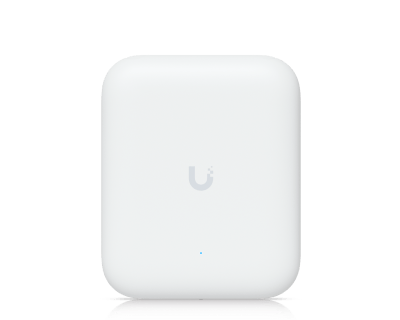
Power: AC Outlet Standard: WiFi 6
U7 Pro Outdoor
Outdoor Series

U7 Pro Outdoor

Outdoor rugged IP67 design with extended‑range AFC 6 GHz support for high‑performance outdoor WiFi.
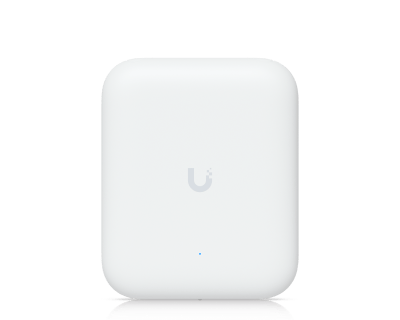
Weatherproof: IP67 Band: 6 GHz AFC
U7 Outdoor
Outdoor Series

U7 Outdoor

Integrated directional super antenna for long‑range point‑to‑multipoint coverage.
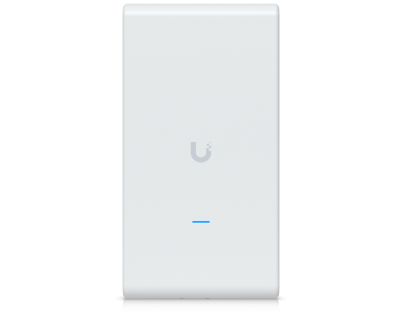
Antenna: Directional Use case: Long Range
U6 Mesh Pro
Mesh Series

U6 Mesh Pro

Outdoor‑ready AP with integrated omni super antenna for extended mesh coverage.
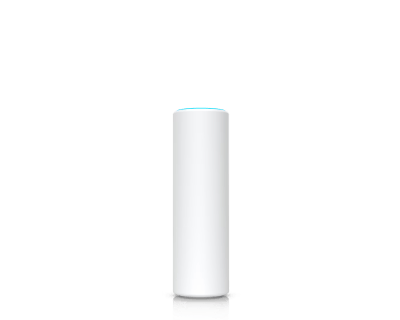
Antenna: Omni Standard: WiFi 6
U6 Mesh
Mesh Series

U6 Mesh

Sleek, versatile WiFi 6 mesh AP for indoor or outdoor mounting and flexible placement.
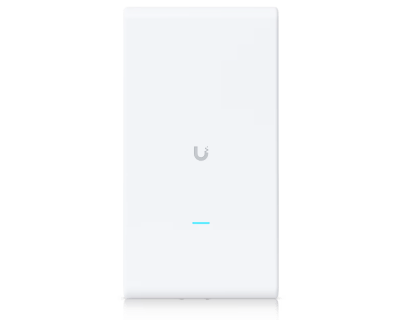
Install: Indoor / Outdoor Standard: WiFi 6
AC Mesh Pro
Mesh Series

AC Mesh Pro

Extended signal range tailored for outdoor coverage with 3x3 MIMO 802.11ac radios.
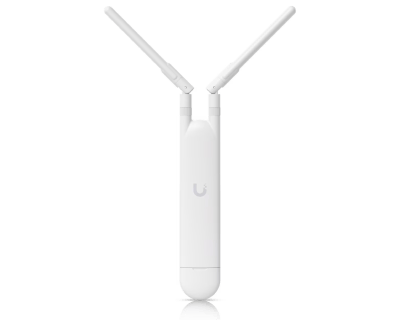
Standard: 802.11ac Use case: Outdoor
AC Mesh
Mesh Series

AC Mesh

Compact AP with external antenna support for directional coverage and bridging.
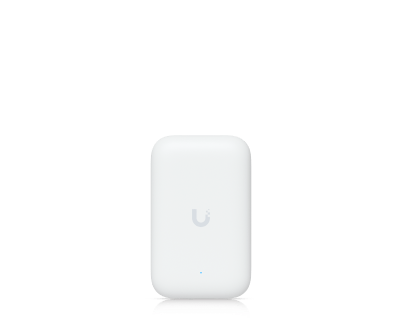
Antenna: External Mode: Mesh / Bridge
Swiss Army Knife
Outdoor / Bridging

Swiss Army Knife

Ultra‑compact device with external antenna support offering incredible flexibility and value.
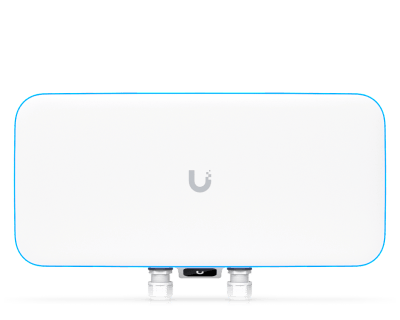
Role: Bridge / AP Form factor: Ultra‑Compact
WiFi BaseStation XG
High Density

WiFi BaseStation XG

Designed for extremely high‑density stadium and arena deployments with 1,500+ concurrent clients.

Clients: 1,500+ Use case: Stadiums
Advanced WiFi Features

Powerful RF Intelligence & Management

UniFi APs go far beyond basic wireless connectivity. With dedicated spectral analysis, PRISM™ RF filtering, WiFi 7 features like MLO and channel puncturing, and intuitive management tools, you can design, deploy and operate truly best‑in‑class wireless networks.

Dedicated Spectral Analyzer Radio

UniFi APs feature a dedicated spectral analyzer radio that continuously scans your environment, proactively identifying interference to optimize WiFi performance and reliability.

  • PRISM™ RF Filtering

    PRISM™ active RF filtering blocks adjacent‑channel 5 GHz interference to boost SNR. By isolating WiFi channels from nearby noise, it preserves client throughput, range, and stability in crowded RF environments.

  • MLO (Multi‑Link Operation)

    UniFi’s Multi‑Link Operation intelligently combines multiple WiFi bands simultaneously, maximizing performance, reducing latency, and enhancing reliability for seamless connectivity.

  • Puncturing

    WiFi 7’s channel puncturing feature allows higher‑width channels to operate non‑continuously and notch out noisy interferers, delivering enhanced performance even in congested spectrum.

  • Coverage Visualization

    Simplify RF management and maximize WiFi performance. Quickly visualize and optimize channel distribution across your entire deployment within UniFi Site Manager and Design Center.

  • Precise Radio Controls

    Gain complete control across 2.4 GHz, 5 GHz and 6 GHz bands. Customize channels, widths and transmit power to match regional compliance and your performance goals.

  • Powerful VLAN Configuration

    Instantly update VLAN assignments across thousands of APs, enabling seamless network segmentation and enhanced security directly from UniFi Site Manager.

  • Flexible Authentication Support

    Integrate with UniFi Identity for one‑click authentication, or use local, AD‑based or cloud‑hosted RADIUS. Alternatively, deploy RADIUS directly on your UniFi Gateway for streamlined deployments.

Frequently Asked Questions

Get answers to the most common questions about UniFi WiFi Access Points, deployment approaches and performance expectations when you partner with IDSL.

Pair UniFi APs with a UniFi Cloud Gateway for a full‑featured UniFi Network, including enhanced security, traffic analytics, VPN access and policy‑based routing — all with no license fees.
Why should I get UniFi APs?
+
UniFi is a state‑of‑the‑art solution that lets you effortlessly manage 100+ APs in the same way you manage a single AP. You get enterprise‑quality hardware in elegant form factors suitable for offices, hospitality, education, campuses, stadiums, outdoor spaces and more.
How do I set up and configure my AP?
+
1) Make sure UniFi is set up and running.
2) Turn on your UniFi AP and ensure it has connectivity to your UniFi Console.
3) Open the UniFi Mobile App (iOS / Android) or navigate to UniFi Site Manager.
4) Adopt the AP when it appears. APs are powered via UniFi PoE Switches or PoE adapters.
Which AP is right for me?
+
UniFi offers multiple series:
Enterprise: 1,000+ client capacity, long‑range 6 GHz, 10 GbE PoE and native high availability.
Flagship: High‑performance ceiling‑mounted APs for mainstream deployments.
Wall: Sleek, in‑wall APs for guest rooms and offices, many with PoE switching.
Outdoor: Weatherproof APs for poles, walls and outdoor surfaces.
Bridging: High‑performance point‑to‑point or point‑to‑multipoint links.
How many APs do I need?
+
Most UniFi APs can cover 1,000–2,000 ft² (95–185 m²) in open space. Walls and obstacles reduce this, so we generally recommend at least one AP per 1,000 ft² (95 m²) for best performance. You can use UniFi Design Center to upload floor plans and accurately predict coverage.
How do I power my APs?
+
Most UniFi APs use Power‑over‑Ethernet (PoE) supplied by UniFi PoE Switches or PoE adapters. Some devices, such as the U6 Extender, plug directly into an AC outlet.
Can I wirelessly mesh my APs?
+
Yes. All UniFi APs automatically form a mesh network, broadcasting the same WiFi so users can roam seamlessly. APs can also mesh wirelessly to eliminate dead zones without extra cabling, provided they are adopted by a UniFi Console (meshing is not available for standalone APs).
Are there any fees or licensing requirements?
+
No. UniFi aims to provide a feature‑rich WiFi environment without hidden fees or recurring license costs.
How can I optimize my wireless speeds?
+
UniFi APs balance speed and interference protection out‑of‑the‑box. To prioritize throughput, increase channel width (for example, from 40 MHz to 80 MHz or 160 MHz where appropriate). Use tools like WiFiman Mobile and UniFi’s Radio Manager to check interference before increasing widths.

Get Your Free WiFi Quote

Fill out the form and our team will get back to you within 24 hours with tailored recommendations on UniFi AP models, quantities and deployment approaches for your environment.

Crucial Terms: Pricing & Policy
At IDSL, we're your go‑to partner for cutting‑edge technology solutions in the UK. Our services cover CCTV, Security Systems, Broadband, Telecom Connectivity, and more. We offer monthly billing per user (excluding VAT) with a 12‑month commitment. Promotions typically run for 6 or 12 months before reverting to standard pricing. Unlimited calling is available (terms apply). Images may feature IDSL CCTV cameras and other equipment features under development.
Need sales advice? Call: 020 30 110 50
Email: info@itdatasecurity.co.uk
Setup Direct Debit
Remote Support Session

Request Your Free Quote

Complete the details below and one of our specialists will be in touch.